


AI Lead Qualification: How to Score Leads Before Your Sales Team Wastes Time

Generate B2B Leads with AI?
With LeadScraper, you create suitable B2B lists in seconds. 100% GDPR compliant. No subscription required!
CREATE TEST ACCOUNTOn average, sales reps spend only 40 percent of their working time actually selling. That is one of the findings of the Salesforce State of Sales Report 2026, which surveyed more than 4,000 sales professionals. According to Salesforce, the biggest drag is admin, such as typing data into the CRM. On top of that, many teams ask themselves every day which lead is actually worth a call.
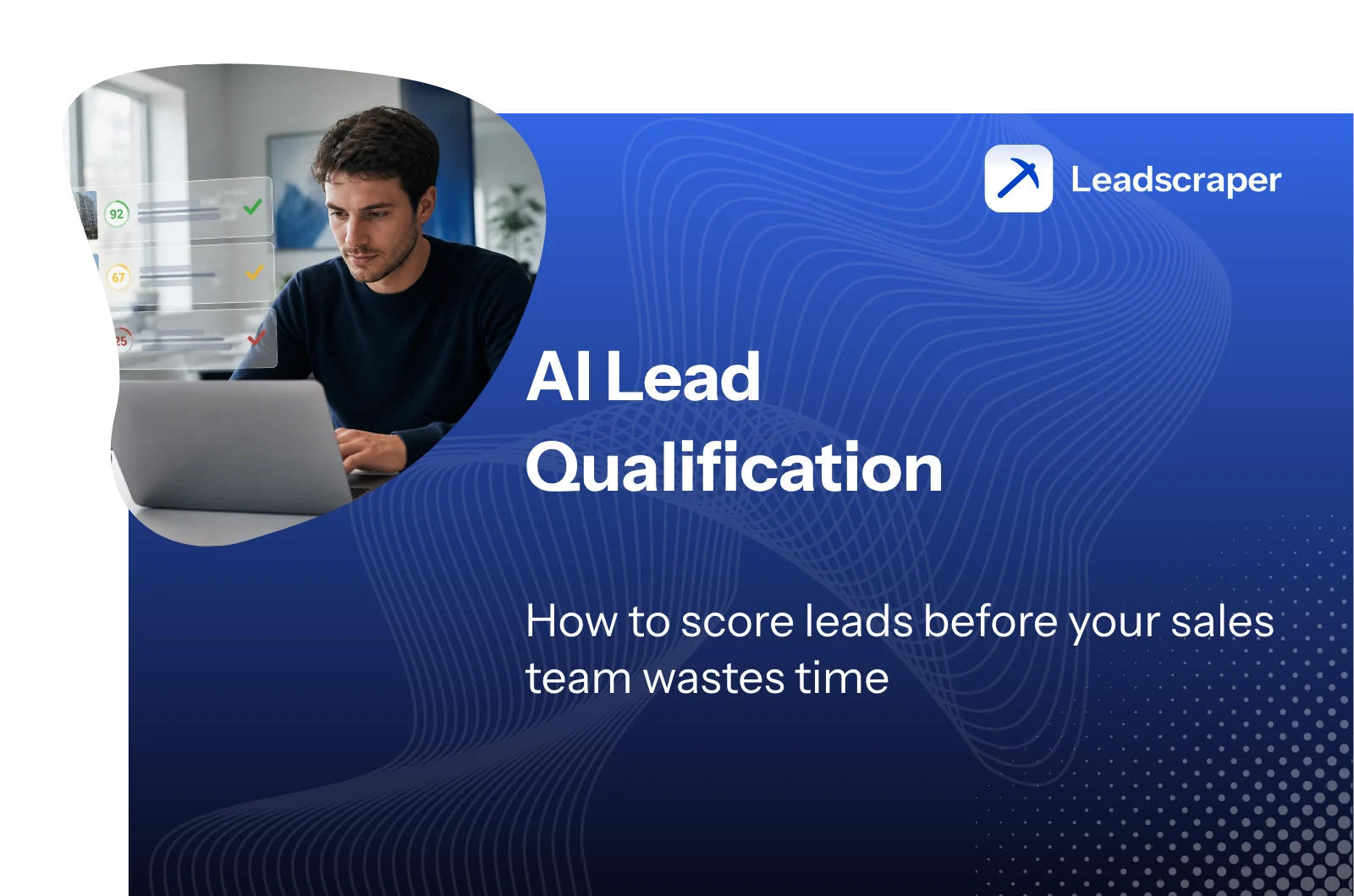
This is where AI can take a lot of the work off your hands. It checks whether a lead is a good fit for you and whether now is a good moment for a conversation, and then sorts your list before anyone picks up the phone. In this guide, you’ll learn what data the AI needs for this, which of three approaches suits the data you have and how to introduce AI lead qualification without handing your sales team a black box.
- With AI lead qualification, software scores your leads using company data, signals and past deals, and ranks them by how likely they are to close. The conversation in which need and budget really come to light stays with your sales team.
- Score separately whether a company is a good fit and whether there is a reason to talk right now. A company can suit you perfectly and still have no reason for a conversation at the moment. A single score hides exactly this difference.
- Which approach works depends on your data. If you have no past deals to learn from, the best option is to let ChatGPT or Claude score your leads with a prompt. Predictive lead scoring in a CRM needs minimum volumes, and Microsoft Dynamics 365, for example, requires at least 40 qualified and 40 disqualified leads.
- An AI score is only as good as the reasoning behind it. Ask for the three main reasons behind every score and regularly test the model against your most recent won and lost deals.
- In outbound, qualification pays off before the first contact. If you check leads against public company data in advance, you approach fewer companies, but far better-suited ones.
What lead qualification with AI actually means
Lead qualification with AI means that a model estimates, for every lead, how good the chances of winning the deal are. Ideally, it also tells you why. Instead of working through leads on gut feeling or in the order they come in, your team starts with the ones that fit and currently have a reason to talk.
What makes a lead qualified in the first place, how MQLs and SQLs differ and which frameworks exist is covered in detail in the guide to lead qualification in B2B. This article looks at what changes when an AI prepares that assessment for you.
Fixed rules or AI: the difference in one example
Traditional lead scoring works with fixed rules. A managing director gets 20 points, a download 10 points and a company from your target industry another 15. That is easy to follow, but it has a weakness, because each rule counts on its own. The managing director gets their 20 points whether they looked at your pricing page yesterday or read a single blog post three months ago.
An AI can take differences like these into account and link signals together. A learning model might notice, for example, that your buyers are mostly companies that are currently advertising sales roles and have several sites, even if you never wrote that rule down. How rule-based, behavioural and predictive scoring fit together technically is explained in the guide to lead scoring software. In practice, the more important question is which tasks you can actually leave to the AI.
What AI takes over and what stays with sales
An AI works fast and never gets tired, but on the phone it can’t tell whether someone is just being polite or is genuinely planning a project. That is why AI and sales usually split the work along these lines.
| Task | Handled by the AI | Stays with sales |
|---|---|---|
| Check company data | Match industry, size, sites and website against your ideal customer profile | Define and adjust the ideal customer profile |
| Spot signals | Analyse job ads, new sites, website visits and enquiries | Decide which signals matter for what you sell |
| Sort leads | Suggest an order and explain it | Review borderline cases and overrule suggestions when needed |
| Clarify need and budget | Prepare the call and suggest questions | Have the conversation and make the final call on the lead |
| Learn from outcomes | Compare won and lost deals with the scores | Record the reasons for lost deals consistently |
A discussion in the r/sales subreddit shows how far this already goes. Without naming it, a user describes a well-known SaaS company that cut its entire inbound team of more than 100 SDRs because an AI is now meant to pre-screen enquiries and pass them on to the right rep. A highly upvoted comment underneath puts this into perspective. Checking a form against the ideal customer profile is something even a simple script can do, the commenter writes, whereas the hard part is the conversation with the customer and closing the deal, where AI is still weak. For the AI to do its part well, though, it needs the right data.
What data the AI needs to score leads well
An AI can only score what it can see. The data falls into three groups, and each answers a different question, namely whether the lead is a fit, whether now is a good time and what you have learnt from past deals.
Is the company a fit? Company data and your ideal customer profile
This question is about whether a company is a good match for what you offer in principle. It covers industry, headcount, region, business model and the software the company uses. The foundation is your ideal customer profile, a description of the companies you most like selling to. How to derive it from your best existing customers is explained in the guide to the ideal customer profile in B2B.
In concrete terms, the AI doesn’t just check “engineering, 50 to 200 employees”. It also reads the website and works out whether the company makes bespoke products or volume parts, whether it ships internationally and whether it is growing. Be careful with turnover figures from databases, because for smaller companies in particular they are often just estimates.
Is the timing right? Signals and how old they are
Timing is about whether there is a reason for a conversation right now. Typical signals include sales job ads, a new site, a change of managing director, an enquiry through your form or repeat visits to your pricing page. You can read more about recognising purchase intent in the guide to buying signals in B2B.
What matters most is how old a signal is. A lead who visited your pricing page yesterday is a different case from one who was there 60 days ago, even if both count the same in a points system. So give every signal a date and let it expire after a fixed period, so that a job ad from the spring doesn’t keep a company flagged as hot until Christmas.
Outcomes: won and lost deals as learning material
The third group of data is what makes the scoring better over time, because this is where you see what actually became of the assessments. Did a highly scored lead buy? And why did another one drop out after the first call?
Loss reasons like these are exactly what many CRMs are missing. A user in the r/revops subreddit describes every account that sales rules out after the first call as the best learning material a sales team has. Even so, most teams throw this knowledge away because the reason is buried somewhere in a call note. That is why it makes sense to add a mandatory field with fixed loss reasons to your CRM, such as “too small”, “no need”, “wrong contact” or “already has a supplier”. The first two questions, whether a company is a fit and whether the timing is right, are best kept apart when you score, though.
Score company fit and timing separately
Most scoring models boil everything down to a single number. That looks tidy, but it hides the reason behind the score. A lead with 70 points might be a perfectly matched company with no reason to talk or a moderately matched company that is actively looking right now. The two need completely different handling.
In a discussion in the r/SalesOperations subreddit, several users therefore recommend keeping the two values separate while still giving reps a clear recommendation. For every company, reps should see at a glance what to do next and why, without having to recalculate the model. The two axes give you four quadrants.
Good fit, reason to talk
Action: Reach out today, ideally referring to the reason.
Example: Target industry, the right size and three sales roles advertised for the past two weeks.
Good fit, no reason to talk
Action: Keep an eye on it and track signals instead of reaching out now with no reason.
Example: Ideal company, but no visible project and nothing changing.
Weaker fit, reason to talk
Action: Briefly check whether the reason matches what you offer, then decide.
Example: Somewhat smaller than your target customer, but has just sent an enquiry.
Weaker fit, no reason to talk
Action: Rule it out and record why.
Example: Wrong industry, far too small and no visible signal.
In my experience, the second quadrant is the most expensive. Companies that look perfect on paper get contacted again and again, even though they simply have no need at the moment. If you score both questions separately, they move onto a watch list and only rise to the top once something changes. How you put this scoring into practice technically depends mainly on how much data you already have.
Three approaches to AI qualification, depending on your data
There are three ways to approach AI lead qualification, and the main difference between them is whether they learn from your past deals or score leads against criteria you set yourself.
Approach 1: Scoring with a prompt in ChatGPT or Claude
With the first approach, a language model such as ChatGPT or Claude receives your criteria and the data on a lead and returns a score with its reasoning. This works even without any deal history, because the model doesn’t learn from your data. It applies your rules and can make sense of websites, job ads and free text along the way.
For teams that are just starting out or close only a few deals a year, this is the most sensible place to begin. With an automation platform such as n8n or Make, you can set up the workflow so that every new lead is scored automatically and the result is written to your CRM. The downside is that the scoring is only as good as your criteria. Language models also don’t always score the same lead in the same way, and the tip below the prompt template explains how to deal with that.
Approach 2: Predictive lead scoring in your CRM
Predictive lead scoring means that a model learns from your past deals which characteristics lead to a purchase. Many CRMs now include this. According to its own documentation, HubSpot calculates for every open contact the likelihood that they will become a customer within the next 90 days. However, the feature is only available in Marketing Hub Enterprise and Sales Hub Enterprise.
The big advantage is that you don’t have to maintain any rules. In return, the model needs enough examples, and each vendor decides for itself how many that is. According to Microsoft, Dynamics 365 requires at least 40 qualified and 40 disqualified leads within the selected training period, otherwise no model can be created at all. And if your past leads were one-sided, the model learns that bias too. With HubSpot, there is the added issue that the vendor itself describes its model as a black box, so you can’t see exactly how much weight each characteristic carries.
Approach 3: Your own model built on your customer data
The third approach is a model of your own that compares your existing customers with a large company database and finds similar firms. This is mainly worthwhile if you have many customers and a large target market, for example if you sell to small and mid-sized businesses and thousands of companies could be a fit. You need clean data, data analysis skills in the team and time to build and maintain the model.
| Criterion | Prompt with ChatGPT or Claude | Predictive scoring in the CRM | Your own model |
|---|---|---|---|
| Prerequisites | Clear criteria, no history needed | The right CRM plan and enough closed leads | Many customers, clean data, data analysis skills in the team |
| Effort to get started | Low to medium | Low if you already have the CRM | High |
| Transparency | High if you ask for reasons | Depends on the vendor (Dynamics 365 shows the influencing factors, HubSpot doesn’t) | Depends on how it is built |
| Learns from deals | Only if you adjust the criteria | Yes, automatically | Yes |
| Best for | Small teams and getting started | Teams with lots of inbound leads | Larger sales teams with a large target market |
My view is that most small and mid-sized B2B teams do best with the first approach. It is quick to set up and you understand every score. After a few weeks, you also notice which criteria really tell you something. The next section shows what a prompt like this can look like.
Prompt template: qualifying leads with ChatGPT or Claude
A good qualification prompt gives the model clear criteria, asks for the reasoning behind every score and explicitly allows the answer “unknown”. Otherwise the model fills gaps with guesses and you won’t notice.
Prompt: score a lead on company fit and timing
You are an assistant in B2B sales. We sell [our product or service] to [target customers]. Our best customers have these characteristics: [industry, size, region, business model, software used].
Score the following lead on two separate scales from 0 to 10. The first scale shows how well the company fits our ideal customer profile. The second shows whether there is currently a specific reason for a conversation. Use only the data below and, if you have access to web search, publicly available information from the company’s website.
For each scale, give the three most important reasons with a source, and write “unknown” instead of guessing if you can’t back something up. Finally, recommend exactly one next action: reach out, monitor, research or rule out.
Lead data: [company name, website, industry, headcount, contact’s role without a name, enquiry or signal with date]
Tip: Test the prompt before you automate it by having the same lead scored three to five times and comparing the results. If the values vary by more than two points, your criteria are usually too vague. In that case, replace terms such as “mid-sized” with specific numbers and add two or three example leads with a finished score to the prompt, so the model has something to go by.
In outbound in particular, you can use a prompt like this much earlier, before you contact a company for the first time.
Outbound: qualify leads before you reach out
Most guides to AI qualification focus on inbound leads, meaning forms, downloads and website visits. In outbound, this data doesn’t exist because the company doesn’t know you yet. Qualification is especially worthwhile here all the same, because every poorly targeted approach costs time and shapes the impression you leave with that company.
That is why you should qualify while you research. Instead of buying a large list and sorting it afterwards, you look specifically for companies that already meet your criteria. In practice, the AI analyses public sources such as company websites and business directories and explains for each company why it matches your search.
Leadscraper works on this principle. You describe in your own words who you are looking for, such as “private dental practices offering implants with several dentists on the team”. AI agents then research suitable companies, including contact persons, in publicly available sources. Every thumbs up or thumbs down you give helps the system learn, so it becomes more accurate on the next search. For every contact, you can also see the source it came from.
You still need one check in outbound, and that is matching new leads against your CRM. With larger groups of companies in particular, subsidiaries and branches are often treated as new leads, even though a colleague already looks after the parent company. The guide to duplicate management in CRM explains how to spot duplicates reliably. With inbound leads, the situation is different, because the enquiry comes in on its own, though unfortunately not always from a genuine prospect.
Inbound: pre-qualify form leads and chatbot conversations
In inbound, the AI has two jobs. First it has to filter out unsuitable enquiries, and then it has to score the rest quickly enough for your team to respond straight away.
Unsuitable enquiries include spam, enquiries from competitors, students with questions for their dissertation and companies that are actually looking for something quite different. An AI can spot many of these from the text of the enquiry, the email domain or the company’s website. These leads then never take up your sales team’s time, because they land on a separate list that someone checks from time to time.
After that, speed is what counts. For a widely cited study in the Harvard Business Review from 2011, researchers tested how quickly 2,241 US firms responded to an online enquiry. The firms that replied within 30 days at all took 42 hours on average, while 23 percent never responded. In a second analysis of 1.25 million leads by the same researchers, firms that got in touch within an hour were nearly seven times as likely to reach a decision-maker as firms that tried an hour later. The figures are old and come from the US, but the overall picture has probably changed little. An AI that scores every enquiry instantly and passes the best ones straight to sales cuts exactly this response time.
An AI chatbot on your website can also settle the key questions during the chat, such as company size, use case and timeframe. Keep it short, though, because nobody wants to be interrogated on a website. Two or three well-chosen questions are enough, and your sales team can cover the rest in the conversation. Whether inbound or outbound, the rollout follows the same steps.
How to introduce AI qualification in five steps
Rolling it out usually takes a few weeks. The biggest mistake is letting the new system run on its own straight away, before you know whether it scores correctly.
AI qualification in five steps
Define your criteria
Five to eight characteristics that show whether a company is a fit and when the timing is right, each with specific values instead of buzzwords.
Clean up your data
Remove duplicates, link subsidiaries to their parent companies and add loss reasons as a mandatory field in the CRM.
Run a parallel pilot
For two to four weeks, the AI scores alongside your team while everyone works as usual.
Check against outcomes
Run your last 20 to 30 won and lost deals through the model and compare the results.
Fine-tune every month
Review loss reasons, adjust the criteria and discuss any striking misjudgements.
The fourth step is the most important one, and it doesn’t take long. Take your last 20 to 30 won and lost deals and have the AI score them as if they were new. With predictive scoring in the CRM, only deals closed after the model was trained are suitable for this, because it already knows the older ones. If the won deals mostly end up at the top and the lost ones at the bottom, you are on the right track. If not, the AI’s reasoning usually shows you straight away which criterion is weighted wrongly.
Involve your sales team from the start. If experienced reps can’t follow a score, they will ignore the list and the whole system comes to nothing. A score with reasoning that someone on the team is allowed to overrule, on the other hand, quickly becomes a tool the team relies on. For that to work, there are a few typical mistakes you should avoid.
Common mistakes in AI lead qualification
Most problems have little to do with the AI itself. They come from the data, the criteria or the way the team handles the results.
- One score for everything. Mixing company fit and timing into one number hides the reason behind the score. Your team then contacts perfectly matched companies with no reason to talk and wonders why it keeps getting turned down.
- Trusting estimated data blindly. For smaller companies, turnover and headcount figures from databases are often just estimates. If your most important criterion rests on a figure like that, the AI is scoring on shaky ground.
- Scores without reasons. A number with no explanation can neither be checked nor improved. Ask for the main reasons and the source behind every score.
- Set it up and forget it. Markets and target groups change. A model that worked well a year ago can be consistently off today if nobody reviews it.
- Treating data protection as an afterthought. As soon as personal data is involved, the UK GDPR applies to scoring as well. There is more on this in the next paragraph.
Note: This paragraph gives an overview and is not legal advice. If the AI analyses data on contact persons as well as company data, you need a sound lawful basis under the UK GDPR and the Data Protection Act 2018, and you should document which sources the data comes from. Don’t feed the names and contact details of contact persons into a public language model without checking first. Also keep the score as a recommendation, with a person making the final decision. The guide to GDPR-compliant lead generation explains what to watch out for in lead generation as a whole.
Conclusion
AI lead qualification takes the sorting and pre-screening off your sales team’s plate, leaving more time for real conversations. The AI checks company data, spots signals and puts your leads in a sensible order before the first call. The conversation in which need and budget really come to light stays with your team.
Start small and set five to eight clear criteria. Score separately whether a company is a fit and whether the timing is right, and begin with prompt-based scoring until you have enough closed deals for predictive scoring. Test the model against your latest deals and feed it the loss reasons every month. In outbound, it pays to qualify while you research. If you want to find suitable B2B leads, including contact persons, based directly on your own criteria, you can try this with Leadscraper for free.
FAQ
How much data do I need for AI lead scoring?
That depends on the approach. For prompt-based scoring with ChatGPT or Claude, you don’t need any deal history, just clear criteria. Predictive lead scoring in a CRM learns from your past deals and needs minimum volumes. Microsoft Dynamics 365, for example, requires at least 40 qualified and 40 disqualified leads in the training period.
Is AI lead qualification compliant with the UK GDPR?
It can be, if you set it up properly. If the AI analyses personal data, you need a lawful basis and a documented source for the data, and you have to stick to a clearly defined purpose. It is simplest when the scoring relies mainly on publicly available company data and a person makes the final decision. If in doubt, run your process past your data protection officer (DPO) or a specialist.
Does AI qualification replace SDRs?
It replaces part of their work, namely sorting, researching and pre-screening. What it can’t do is hold the conversation that shows whether there is a real project and a budget behind an enquiry. Used well, it leaves SDRs with less list work and more time for well-prepared conversations.
What is the difference between lead scoring and lead qualification?
Lead scoring assigns points or probabilities and sorts your leads. Lead qualification is the whole process, which ends with a decision on whether a lead goes to sales, is nurtured further or is ruled out. Scoring is therefore one tool within qualification. The final assessment usually only happens in the conversation.
Is AI qualification worthwhile for small sales teams too?
Yes, especially there, because every hour counts. Small teams can start with prompt-based scoring without an enterprise CRM and connect the workflow to an automation tool such as n8n or Make. The quality of your criteria matters more than the size of your team.