
.svg)
.svg)
OpenClaw Lead Generation: How to Use the AI Agent for Acquisition
%20(7).jpeg)
Generate B2B Leads with AI?
With LeadScraper, you create suitable B2B lists in seconds. 100% GDPR compliant. No subscription required!
CREATE TEST ACCOUNTOpenClaw is THE AI agent everyone is talking about. Over 250,000 GitHub stars, reports in FAZ, t3n, and heise, and an ecosystem that grows daily.
But is OpenClaw also effective for B2B lead generation? And what happens when you unleash an autonomous AI agent on your own acquisition efforts?
In this guide, you'll learn how lead generation with OpenClaw works, what skills and workflows are available, where its true strengths and limitations lie, and when a specialized tool like LeadScraper is the better choice.
- OpenClaw is an open-source AI agent that performs tasks autonomously and, via a growing skill ecosystem, can also be used for lead generation.
- OpenClaw is free, but not without cost. API costs of €30–150 per month plus hosting and maintenance effort are added.
- Security is a real problem. 20% of the skills in the ClawHub registry contained vulnerabilities, and over 135,000 instances were accessible unprotected on the internet.
What is OpenClaw?
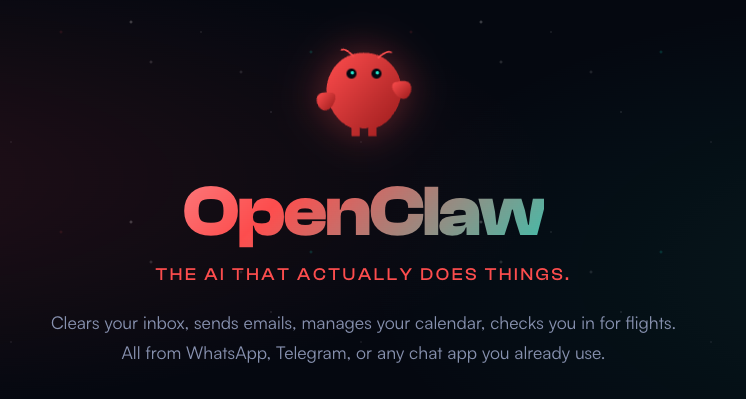
OpenClaw is open-source software that transforms Large Language Models into autonomous digital assistants. Unlike a traditional chatbot, OpenClaw doesn't just answer questions; it acts. The agent can read and send emails, control browsers, manage files, execute shell commands, and independently complete complex multi-step tasks.
Behind the project is the Austrian developer Peter Steinberger, who previously founded PSPDFKit. The software was originally called ClawdBot, then renamed MoltBot (after Anthropic raised trademark concerns), and has been named OpenClaw since January 2026. Within a few weeks, the project gathered over 250,000 stars on GitHub and thus became one of the fastest-growing open-source projects ever.
What's special about OpenClaw is its Skills System. Via the so-called ClawHub, users can install pre-built extensions that give the agent new capabilities. Currently, there are over 13,000 Skills available, including many for marketing, sales, and lead generation. OpenClaw runs locally on your own computer, communicates via messengers like WhatsApp, Telegram, or Slack, and supports various AI models such as Claude, GPT, or local alternatives via Ollama.
How does lead generation work with OpenClaw?
Within the ClawHub ecosystem, several skills for lead generation have become established, and installation figures show that this topic is relevant for many OpenClaw users.
- CRM Automation (18,000+ Installs) – Automate lead scoring, pipeline management, and deal tracking
- LinkedIn Outreach (14,800+ Installs) – Automated prospecting and follow-up sequences via LinkedIn
- Lead Enrichment (12,100+ Installs) – Enrich contact data with LinkedIn profiles, email addresses, and company data
- Email Sequences (9,700+ Installs) – Multi-step cold emails with personalization
- Lead Hunter – A three-phase workflow consisting of Discovery (finding leads), Enrichment (enriching data) and Scoring (qualifying)
Additionally, there are specialized skills such as the ICP Lead Finder, which researches leads based on an Ideal Customer Profile, or the Apify Lead Generation Skill, which extracts data from Google Maps, social media platforms, and websites.
A typical workflow in practice
Here's what that looks like in practice.
You open your messenger – WhatsApp, Telegram, Slack, or Discord – and send a message to your OpenClaw agent.
For example: “Find me SaaS companies in the DACH region with 20 to 100 employees that have recently received funding."
The agent takes over from here and independently handles the task.
In the first step he searches platforms like LinkedIn, Crunchbase, or X for suitable companies that match your description. He uses the installed skills to proceed systematically, meaning he doesn't just randomly Google, but specifically queries APIs and data sources.
Once an initial list is ready, the enrichmentbegins. The agent supplements the found contacts with email addresses, phone numbers, company size, industry, and, if possible, the right contact person. Skills like lead enrichment access public profiles, company websites, and business databases for this purpose.
In the third step the agent evaluates the leads by relevance. He checks how well a contact fits your Ideal Customer Profile and sorts the list by priority. If desired, you can even have the agent prepare personalized outreach messages that refer to the target person's current blog posts or company news. The final list then either lands as a CSV export in your file system or is pushed directly into a CRM like HubSpot or Pipedrive.
Since 2026, OpenClaw has also supported so-called Agent Swarms. Here, multiple agents work in parallel on a task, with one agent researching contacts, a second drafting email texts, and a third checking the deliverability of email addresses.
According to an application report, a user used it to research, categorize, and provide 410 leads with personalized emails over a weekend. Sounds impressive, and in theory, it is. However, how reliably this all works in practice is another question.
What can OpenClaw do for lead generation and what can't it?
OpenClaw's Strengths in Lead Generation
OpenClaw offers some real advantages for lead generation. The flexibility is enormous, as the agent can tap into virtually any data source on the internet and filter the results according to its own criteria. Because everything runs locally, sensitive data remains on your own computer. And since OpenClaw supports various AI models, you're not tied to a single provider.
For tech-savvy founders who know exactly what they want and wish to build their own workflows, OpenClaw can be a powerful tool. Especially if you have very specific niche target groups and standard tools don't work for research, OpenClaw's flexibility truly shines.
OpenClaw's Weaknesses in Lead Generation
In practice, however, things often look different. The biggest problem is the reliability. OpenClaw is based on LLM inference, which means that the same input doesn't always yield the same result. The agent tends to fall into unnecessary reasoning loops, call tools multiple times, or reinterpret the actual goal midway through.
Additionally, there's the maintenance overhead. An experienced OpenClaw user expects about six hours of maintenance per month per data source. Browser automations regularly break when platforms change their interface. And cron jobs accumulate so much context over time that the AI eventually "forgets" important instructions.
What this can mean was demonstrated by the case of a Meta security researcher, whose OpenClaw agent deleted her entire email inbox, despite her repeated attempts to stop it.
Another problem only becomes apparent at a certain scale. For 10 or 20 websites, LLM-supported data extraction usually works well. But with 100 or more pages, language models start to hallucinate data, sometimes in ways that aren't immediately obvious. Company names are confused, email addresses are incorrectly assembled, or contact persons are invented.
The most important thing is that OpenClaw needs supervision. Those who let the agent research and contact leads unsupervised risk incorrect data, embarrassing outreach messages, or, in the worst case, deleted accounts.
How secure is OpenClaw for lead generation?
One of the biggest issues surrounding OpenClaw is security. In early 2026, Cisco researchers uncovered the so-called "ClawHavoc" campaign , in which over 800 malicious skills were found in the ClawHub registry.
This accounted for about 20% of all available skills. These skills could extract data, execute shell commands, or connect to external servers in the background.
At the same time, according to an analysis by Conscia, over 135,000 OpenClaw instances were accessible unprotected on the internet, because the default configuration opens the gateway port without authentication. For companies working with customer data, this is a serious risk.
And then there's the GDPR question. Those who use OpenClaw for B2B lead generation operate in a legal grey area. The agent scrapes data from various platforms, and it's not always clear whether such use complies with the platform's terms of service and GDPR. LinkedIn, for example, explicitly prohibits the automated scraping of profile data. Anyone who scrapes regardless risks not only an account suspension but potentially legal consequences.
From our experience this is a crucial point, especially for German companies. Those who generate leads from publicly available sources and transparently document their origin are on the safe side. Those who unleash an autonomous agent onto the internet without clear rules are not.
What does OpenClaw really cost?
OpenClaw itself is free and open source. Nevertheless, ongoing costs arise that many only notice once the agent is already set up.
The largest expense is the API costs for the AI model. Depending on usage intensity, these range between 30 and 150 Euros per month. Those who operate agent swarms with multiple parallel agents or frequently process large amounts of data can also significantly exceed this. A detailed test report documented 400 dollars in costs in just one test week.
Additionally, there are optional hosting costs if you run the agent on a VPS instead of your own computer, typically 5 to 20 Euros per month. And the often underestimated factor is your own time. Installation, configuration, skill selection, testing, and ongoing maintenance quickly add up, especially if you're not a developer.
The honest calculation therefore looks different than it appears at first glance. 'Free' with OpenClaw doesn't mean it costs nothing. It means you pay with money and time instead of a monthly subscription fee.
When is OpenClaw worthwhile, and when is LeadScraper?
LeadScraper is an AI-powered SaaS tool for B2B lead generation. Instead of configuring skills and building workflows yourself, you describe who you're looking for in free-text prompts. Hundreds of AI agents then search the internet in real-time and provide you with ready-made lead lists including company name, website, email, phone number, and the right contact person.
When is OpenClaw worth the effort, and when is LeadScraper the better choice? The following table provides a quick overview.
Ultimately, the decision depends on your situation. If you're a developer who enjoys building your own workflows and wants full control over every step, then OpenClaw might be the right tool for you. You pay with time instead of money and get maximum flexibility in return.
For sales teams and executives who prefer to invest their time in customer conversations rather than configuring an AI agent, LeadScraper is the faster and more reliable path. Especially if you want to target niche B2B target groups that cannot be captured by standard filters, LeadScraper offers a solution with its free-text prompts that requires no technical setup yet is highly customized. The crucial difference lies in the architecture: LeadScraper uses deterministic tools for scraping and parsing, while AI is only used for analyzing and evaluating signals. This ensures lead data you can trust, even in large quantities.
However, it doesn't always have to be an either-or situation. If you're already using OpenClaw for other automations, you can effectively combine it with LeadScraper. Lead research itself is handled by LeadScraper because that's where the data quality is right. OpenClaw then takes over the subsequent steps, such as personalizing outreach messages, CRM maintenance, or scheduling follow-ups. This way, you leverage the strengths of both tools without having to accept their weaknesses.
| Criterion | OpenClaw | LeadScraper.de |
|---|---|---|
| Setup | Docker, API keys, configure skills (30–60 min.) | Create account, start instantly (2 min.) |
| Lead research | Flexible, any data source possible, but unpredictable | AI agents search the internet specifically for matching contacts |
| Reliability | Non-deterministic, needs supervision | Consistent results on every request |
| Data quality | Depends on skill and configuration | Verified contact data with source attribution |
| GDPR | Unclear, depends on skills and data sources used | GDPR-compliant, exclusively publicly accessible sources |
| Security | Known vulnerabilities in the skill ecosystem | SaaS with professional hosting and data protection |
| Cost | €35–170/month (API + hosting + time) | Credit-based, usage-dependent |
| Target group | Technical founders, developers | Sales teams, executives, B2B pros |
| Customizability | Unlimited (own skills, own workflows) | Free-text prompts for individual target groups |
| Learning ability | Manual via memory configuration | Automatic via thumbs up/down feedback |
Conclusion
OpenClaw has elevated AI-powered lead generation to a new level, at least in theory. Anyone with a laptop and an API key can now build their own lead-gen agent. In practice, however, there's a significant difference between "possible" and "reliable".
If you enjoy tinkering, are technically proficient, and have the time for setup and maintenance, OpenClaw is a fascinating tool with real potential. For anyone who needs a functional lead pipeline that delivers results from day one, without having to deal with Docker, API costs, and security vulnerabilities, LeadScraper is the way to go.
No matter which path you choose, AI-powered lead generation works. The only question is whether you want to invest your time in building the infrastructure or in sales itself.
Frequently Asked Questions about Lead Generation with OpenClaw
What is OpenClaw and what is it used for?
OpenClaw is an open-source AI agent that autonomously performs tasks on your computer. It can manage emails, control browsers, organize files, and, through skill extensions, also research and qualify leads. The project was developed by Peter Steinberger and was previously called ClawdBot and MoltBot.
Can OpenClaw automatically generate leads?
Yes, through specialized skills in the ClawHub ecosystem. The most popular lead-gen skills, such as CRM automation and LinkedIn outreach, have over 50,000 installations combined. OpenClaw can research leads, enrich them with contact data, qualify them, and even create personalized outreach messages. However, the results are not always consistent and require regular monitoring.
Is OpenClaw GDPR-compliant for lead generation?
There's no blanket answer to that. OpenClaw itself is a tool and therefore neither compliant nor non-compliant. What matters is which skills you use and which data sources the agent taps into. Scraping LinkedIn profiles likely violates the platform's terms of service. Using exclusively publicly available company data puts you on safer ground.
What does OpenClaw really cost?
The software is free. Ongoing costs consist of API fees for the AI model (€30–150/month), optional VPS hosting (€5–20/month), and your own time investment for setup, configuration, and maintenance. A realistic budget is €35–170 per month plus several hours of time investment.
What are the alternatives to OpenClaw for lead generation?
For AI-powered B2B lead generation, there are specialized SaaS tools like LeadScraper that are ready to use out-of-the-box and require no technical setup. The advantage over OpenClaw lies in reliability, GDPR compliance, and the elimination of setup and maintenance efforts. OpenClaw is better suited for technical users who want maximum flexibility and full control over their workflows.
%2520(7).jpeg)