
.svg)
.svg)
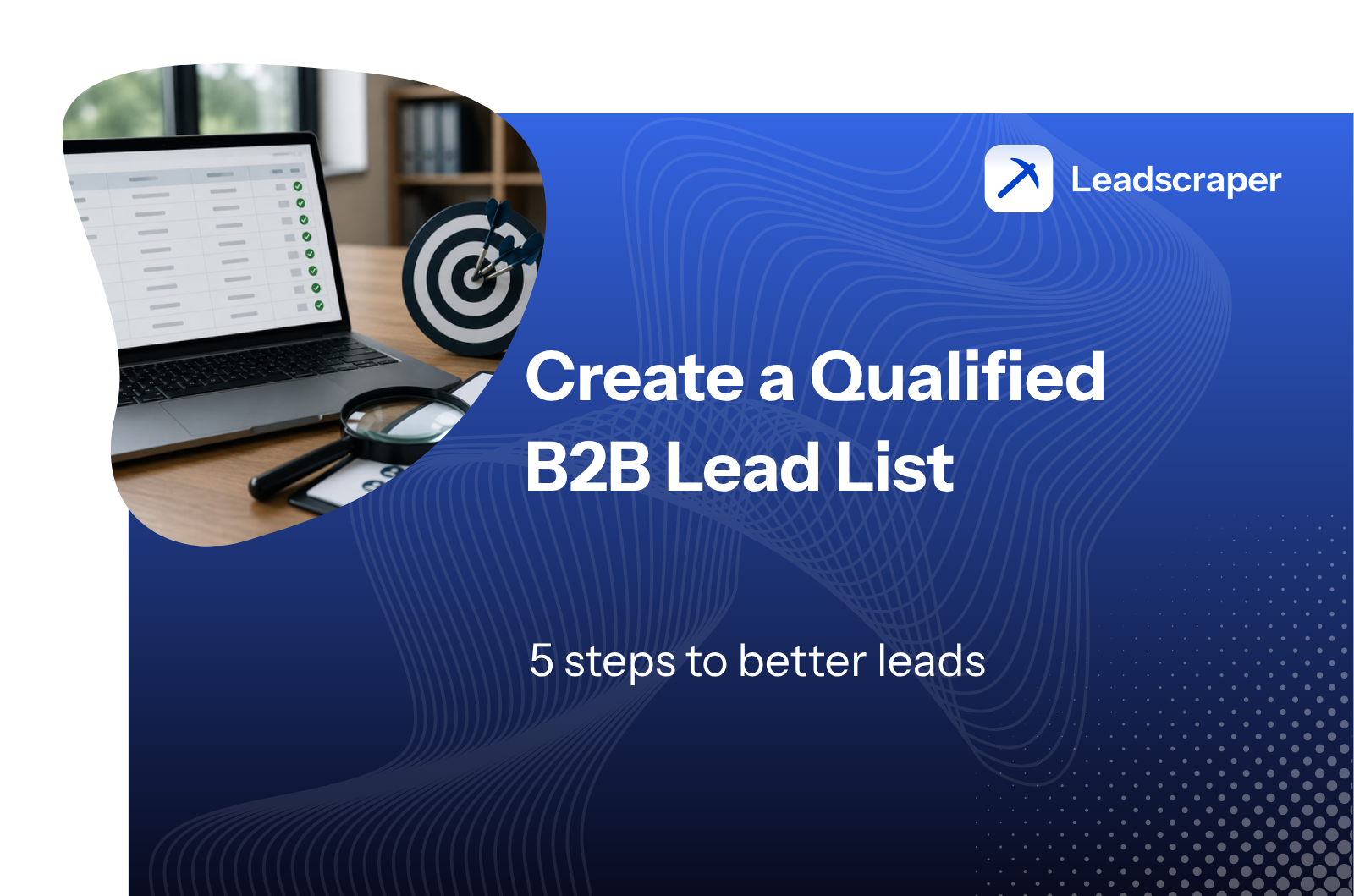
How to Build a Qualified B2B Lead List: 5 Steps to Better Leads (2026)
%2520(7).jpeg)
Generate B2B Leads with AI?
With LeadScraper, you create suitable B2B lists in seconds. 100% GDPR compliant. No subscription required!
CREATE TEST ACCOUNTA good lead list decides whether your sales team talks to the right companies or wastes hours on contacts that will never buy. Still, most lead lists grow as a side product. An export here, a few trade fair contacts there, plus a handful of LinkedIn profiles. The result is a half-maintained spreadsheet full of gaps and outdated data. In this guide you will learn step by step how to build a qualified B2B lead list, which data sources have proven themselves and how to keep the quality of your list high over time.
- A qualified B2B lead list only contains companies that demonstrably match your offer, including verified contact data and the right decision-maker.
- The foundation is a clear ideal customer profile (ICP) derived from your best existing customers.
- Qualification happens before outreach. If you only sort leads after sending, you burn time and sender reputation.
- B2B contact data decays by around 22.5 percent per year. Without ongoing maintenance, every list is full of holes within months.
- AI tools like LeadScraper build qualified lead lists in real time and learn from your feedback with every search.
What is a qualified B2B lead list?
A qualified B2B lead list is a structured collection of company contacts that meet three conditions. The company matches your ideal customer profile, the contact data is complete and up to date and there is a recognizable reason why a conversation is worth having.
This is exactly what separates it from a raw contact dump. An export from a business directory with 5,000 rows is not a lead list yet. Only when you know which of these companies could actually have a need and who to talk to there does the spreadsheet become a working tool for sales.
A look at everyday sales work shows why this matters so much. According to the State of Sales report by Salesforce, sales reps spend only 28 percent of their week actively selling. The rest goes to research, data maintenance and admin. Every hour your team spends on unsuitable contacts is missing exactly there.
Company list or contact list? The first decision
Before you start researching, you should decide which type of list you actually need. In practice, two basic types have become established.
Company lead lists contain several contacts per company. They work well for account-based marketing, mailings to different departments or when your offer affects the whole company. A trade fair organizer, for example, often wants to reach marketing, sales and management at the same time.
Contact lead lists hold exactly one decision-maker per company. They are the standard format for cold outreach by phone or email, because your offer usually addresses one specific role. If you sell payroll software, you need the head of HR and nobody else.
For most mid-sized sales teams, the contact list is the right starting point. It is faster to build, easier to maintain and ready for calling.
These fields belong in your lead list
A usable lead list needs a fixed structure so everyone on the team can work with it right away. The following template has proven itself in practice and works in Excel, Google Sheets and any CRM.
| Field | Example | Required or optional |
|---|---|---|
| Company name | Müller Anlagenbau GmbH | Required |
| Website | mueller-anlagenbau.de | Required |
| Industry | Mechanical and plant engineering | Required |
| Employee count | 80 to 120 | Optional |
| Contact person | Thomas Müller | Required |
| Position | Head of Sales | Required |
| t.mueller@… | Required | |
| Phone | +49 40 … | Required |
| Source | LeadScraper search from July 9 | Optional |
| Status | New / Contacted / In conversation | Required |
| Score / priority | A, B or C | Optional |
| Notes + last contact | Call back from August, budget from Q4 | Optional |
For a start, a spreadsheet in Excel or Google Sheets is perfectly fine. In my experience it gets messy from around 500 contacts or once two people work on it in parallel. Then you start missing duplicate checks, contact history and follow-up reminders. From that point on, moving to a CRM pays off, because the list is only worth as much as the discipline with which it is maintained.
Step 1: Define your ideal customer (ICP)
Every good lead list starts with the question of who should be on it in the first place. The most reliable answer comes from your existing customers. Take your ten best customers and check what they have in common. Which industry, which size, which region? Who bought fastest, who stays longest, who brings the most revenue?
From these patterns your ideal customer profile emerges, the description of the company that fits your offer perfectly. We covered how to define your target audience for B2B leads in a separate guide.
There is one point many people underestimate. Classic filter criteria like industry and employee count only describe your target profile roughly. A plumbing and HVAC company with 20 employees and its own planning department is a completely different target customer than a two-man operation, even though both are listed in the directory under "trades, 1 to 49 employees". The more precisely you can describe such differences, the better your list becomes. So capture your ICP as a written description in full sentences in addition to the filter combination. That description helps you with every search, whether manual or AI-based.
Step 2: Data sources for matching companies
With your ICP in place, the actual research begins. In practice, most teams combine several sources. Here are the most important ones with their strengths and limits.
AI-powered lead tools
The fastest way to a qualified list is specialized tools that handle research, decision-maker search and contact data in one step. LeadScraper takes a different path than classic databases. You describe in free-text fields, in your own words, who you are looking for, for example "dental practices focused on private patients with their own dental lab". Hundreds of AI agents then search the internet in real time and deliver a freshly generated list with company name, website, email, phone number and the right contact person.
The decisive difference lies in the learning. After every search you rate the results with a thumbs up or down. This feedback flows directly into your future searches, so the system understands more precisely with every list what a suitable company looks like for you. Two customers with the same query get different results after a few weeks, because the system knows each of them individually. Billing is credit-based and the tool works exclusively with publicly accessible data sources.
Alongside this, there are established database providers that fit well depending on the use case.
| Tool | Approach | Data basis | Suited for |
|---|---|---|---|
| LeadScraper | AI agents with free-text search, learns from feedback | Real-time web research | Complex and niche target groups in the DACH region |
| Dealfront | Filter database with trigger events | European company database | Teams with a Europe focus and field sales |
| Cognism | Contact database with phone verification | International database | International outbound teams |
| Apollo | Database and outreach in one platform | International database, US focus | Teams that want list and outreach in one tool |
| Kaspr | Browser extension for LinkedIn | LinkedIn profile data | Individual research directly on LinkedIn |
LinkedIn and Sales Navigator
LinkedIn is the largest publicly searchable source for decision-makers in B2B. With Sales Navigator you filter by position, company size, region and industry, save lead lists directly in the tool and get notified about job changes among your saved contacts.
The limits lie in the contact data. LinkedIn does not provide email addresses or phone numbers, exporting the lists is not intended and the license costs per user quickly add up to several hundred euros a year. If you prefer to solve research outside the network, our comparison of Sales Navigator alternatives shows the suitable options.
Google Maps, trade registers and business directories
For local and traditional industries, public directories are an underrated source. Google Maps provides address, phone number and website for almost every business, plus opening hours and reviews. Business directories such as "Wer liefert was", chamber of commerce listings or official company registers add legal form and company details.
The downside is the effort. The data is unstructured, email addresses and contact persons are usually missing and every row has to be researched individually. As a starting point for a small, regional list this works well. For several hundred leads it becomes tedious without automation.
Inbound sources: website, newsletter and events
Your own marketing also fills the lead list. Whitepaper downloads, newsletter signups with double opt-in, webinar attendees and trade fair contacts are valuable entries because these contacts have already shown interest.
Expect some noise, though. Among inbound contacts you will find students, competitors and private individuals. These entries also have to be checked against your ICP before sales touches them. Inbound complements an actively built list but does not replace it, because you do not control who comes in.
Self-built scraping stacks
Technically skilled teams build their own lead research with tools like n8n, Apify or Clay. Such setups collect companies from Google Maps or LinkedIn, enrich them with email finders and write the results to a sheet or CRM.
In a widely read thread on r/sales, a sales rep describes his proven three-step routine. First build a large list of target companies through automation, then identify the right contacts via LinkedIn and finally add contact data through provider APIs. His sober conclusion on data quality: "No provider is perfect." Other users also report the downsides of self-built setups, above all rate limits, duplicate entries and constant maintenance.
My assessment of this is mixed. If you enjoy automation and do not mind the maintenance, a custom stack gives you a lot of flexibility. For most sales teams, however, the ongoing upkeep outweighs the benefit, because data sources change, scrapers break and duplicates pile up. That time is better invested in conversations with customers.
Step 3: Enrich and verify contact data
A list of company names is only half the job. What is still missing are the details that turn an entry into a contactable lead. This step is called enrichment and covers three tasks.
First you need the right contact person. In B2B the info@ address rarely decides anything, so it pays to research the person who owns your topic. We described in detail how to find the right contact person.
Then come the direct contact details, meaning a personalized email address and, if possible, a direct dial number. Verification comes last. Check every email address with a validation tool before you write to it. Unverified addresses collected from the web quickly reach bounce rates of 20 percent and more in practice. Even much lower values are enough for mail providers to classify your domain as a spam source. Then even your clean emails end up in the junk folder.
Test every new list with a small batch of 20 to 30 contacts first. This way you spot problems with data quality or deliverability before they damage your entire domain reputation.
Step 4: Qualify and prioritize leads
Qualification means deciding before the first contact which entries on your list deserve your sales team's working hours. This order makes all the difference. If you write to everyone first and then see who reacts, you have moved qualification to the wrong place.
A simple scoring with three categories has proven itself. A-leads match the ICP perfectly and show a current buying signal. B-leads match the profile without a visible trigger. C-leads only partially fit and stay on the follow-up pile. You can find the detailed methodology in our guide on lead qualification.
Buying signals, often called sales triggers, are the strongest criterion here. They include open job postings in the relevant area, a website relaunch, a move or new construction, new management or expansion into a new region. A B-lead with a fresh trigger instantly becomes an A-lead.
In my experience, qualification rarely fails at the concept stage and often in execution, because checking each company takes time. This is exactly where learning systems come in. LeadScraper makes the assessment of whether a company matches your search per individual company already during the research and thereby takes over a large part of the pre-qualification. Through your thumbs feedback, this assessment becomes more accurate from list to list.
Step 5: Maintain your list and keep it current
A lead list is not a one-off project. According to a widely cited analysis by MarketingSherpa, which HubSpot turned into a simulation, B2B contact databases lose about 2.1 percent of their validity per month. Over a year that adds up to around 22.5 percent. People change jobs, companies merge, numbers change. Without maintenance, a quarter of your list is worthless after twelve months.
Three routines keep the quality stable. First, a duplicate check on every import so no decision-maker is contacted twice. Second, a properly maintained status per entry, from "New" through "Contacted" and "In conversation" to "Customer" or "Declined", each with a date. Third, a fixed review rhythm. Once per quarter is enough for most lists to spot and remove outdated entries.
Do not simply throw away declined contacts. Note the reason for the rejection and set a follow-up date. Today's "no budget right now" is often a welcome conversation starter two quarters later.
How much time does a lead list cost?
For manual research, expect 5 to 10 minutes per qualified lead. In that time you find the company, check it against your ICP, look up the contact person, research the email address and enter everything cleanly into the list. Sounds like little, but it adds up fast. Use the calculator to see what your monthly lead demand means in working time.
At 200 leads per month and 8 minutes per lead, that is already more than three full working days, just for building the list. This is exactly why automating the research almost always pays off, regardless of which tool you choose. The freed-up time flows into conversations, the part of sales that no tool can take over.
Buy a lead list or build it yourself?
Ready-made address lists from brokers look tempting because they are instantly available. In practice, the downsides outweigh the benefits. Purchased lists are static and start aging from the day of purchase, they were not compiled for your ICP and the same addresses have usually been sold to other buyers before. The recipients already know cold outreach requests all too well. On top of that comes the data protection risk when the origin of the data is unclear. You can find a detailed assessment with all the legal aspects in our guide on buying B2B leads.
Self-built lists cost more time, but they belong to you alone, match your target profile exactly and are current at the moment of outreach. The middle ground is tools that generate lists freshly on request. That gives you the speed of a purchased list with the precision of your own research.
GDPR: what applies to B2B lead lists
Business contact data is personal data too, as soon as a person can be identified. A B2B lead list therefore falls under the GDPR. That sounds more threatening than it is, because for researching business contacts for acquisition purposes, legitimate interest under Art. 6 (1) (f) GDPR comes into consideration as a legal basis, provided your offer has a factual connection to the contact's professional activity.
Four rules have proven themselves in practice.
- Only collect data from publicly accessible sources such as company websites, legal notices and business directories and document per contact where the data comes from.
- Limit yourself to business details. Private mobile numbers or private email addresses have no place in a B2B lead list.
- Delete contacts who object to the processing completely and keep a suppression list so they do not reappear with the next import.
- Mind the separate rules for outreach. Calling a company is permissible where interest can reasonably be assumed, while for email advertising most European countries generally require prior consent under their national rules.
The origin of the data is where most lists fail. With providers that offer no transparent source information, you simply cannot fulfil your documentation duty. So make sure your tool or service provider delivers the source with every contact.
Common mistakes when building B2B lead lists
To wrap up, here are the mistakes that come up most often in practice and cost you the most.
"All companies with 10 to 500 employees" is not an ICP. The broader the list, the worse the response rate and the more time sales burns.
5,000 entries feel productive but are worthless if only 200 of them fit. A small, precise list beats any large raw collection.
Sending without email verification risks bounce rates that permanently push your domain into spam filters. Verify first, then write.
Writing to everyone first and sorting later turns the process upside down. The check against the ICP belongs before the first contact.
Around 22.5 percent of B2B contact data decays per year. Without a fixed maintenance rhythm, your team works with dead data within months.
Without a maintained lead status, decision-makers get contacted twice or forgotten. Both cost trust and therefore meetings.
Conclusion: building a qualified B2B lead list pays off
Building a qualified B2B lead list is a clear process with five steps. You define your ideal customer profile based on your best existing customers, collect matching companies from the right sources, enrich the entries with verified contact data, qualify before the first contact and keep the list current with fixed routines.
The order makes the biggest difference. If you define and qualify properly first, you need fewer contacts for the same number of meetings. And if you automate the research, you win back the time that really counts in sales, namely time for conversations.
From my point of view, a learning research system is the most sensible first step. You describe once, precisely, who you are looking for, get a fresh, pre-qualified list and make the system better with every piece of feedback. This is exactly the workflow we built LeadScraper for.
Frequently asked questions about B2B lead lists
How many leads should a B2B lead list contain?
That depends on your sales capacity. As a rule of thumb, one sales rep can sensibly work 150 to 300 active leads in parallel. The list has to be big enough to fill your pipeline. At the same time it has to stay small enough for you to actually maintain it. Relevance beats volume.
Where can I get free B2B lead lists?
Free sources include Google Maps, business directories, chamber of commerce listings and the trade register. The price is your time, because you have to research and verify contact persons and email addresses one by one. Ready-made free lists from the internet are almost always outdated and unusable for outreach.
Is it legal to buy lead lists?
Buying B2B address lists is possible in principle, but the responsibility for GDPR compliance lies with the buyer. You must be able to prove where the data comes from and on which legal basis you process it. With lists of unclear origin that is exactly what you cannot do, which is why we advise against them.
Which tool is right for beginners?
For getting started in the DACH region, LeadScraper is a good choice because you describe in your own words, without filter logic and onboarding effort, who you are looking for. As a result you get a ready-made list with contact persons and verified contact data from publicly accessible sources. Teams that already run a CRM-driven outbound motion can additionally evaluate database providers like Dealfront or Cognism.