

.svg)
.svg)
Generate Leads with Claude – The Best Prompts & Tips (2026)
%20(7).jpeg)
Generate B2B Leads with AI?
With LeadScraper, you create suitable B2B lists in seconds. 100% GDPR compliant. No subscription required!
CREATE TEST ACCOUNTAnyone working in B2B sales knows the drill. Hours spent researching companies, finding contact persons, and maintaining lead lists in Excel spreadsheets. Claude, Anthropic's AI model, promises to significantly accelerate precisely this work. Since 2025, Claude can even search the internet independently and retrieve current company data, making it a serious tool for lead generation.
But how well does that really work? In this article, you'll get 18 proven prompts for lead generation with Claude, learn about its strengths and limitations, and discover why specialized tools like LeadScraper.de can make all the difference.
- Claude is excellent for the strategic side of lead generation, from the Ideal Customer Profile to lead qualification and personalized outreach messages.
- The built-in web search makes Claude more flexible than many expect, but it does not replace systematic company research across hundreds of sources at once.
- For operational lead lists at scale, you need specialized tools like LeadScraper.de that crawl public business data in a targeted way and prepare it in a structured form.
What is Claude and why is it suitable for lead generation?
Claude is Anthropic's AI model and, alongside ChatGPT and Google Gemini, is one of the most powerful Large Language Models on the market. There are three model variants: Haiku (fast and affordable), Sonnet (balanced), and Opus (most powerful). Sonnet and Opus are best suited for lead generation, with Sonnet available in the free version.
Three things make Claude particularly interesting for sales.
Firstly, its enormous context window of 200,000 tokens, which corresponds to approximately 150,000 words. This means you can put entire company databases, CRM exports, or extensive briefings into a single prompt and let Claude work with them.
Secondly, Claude supports XML tags, which allow you to structure the output very precisely, for example, as a CSV table, JSON, or a sorted list.
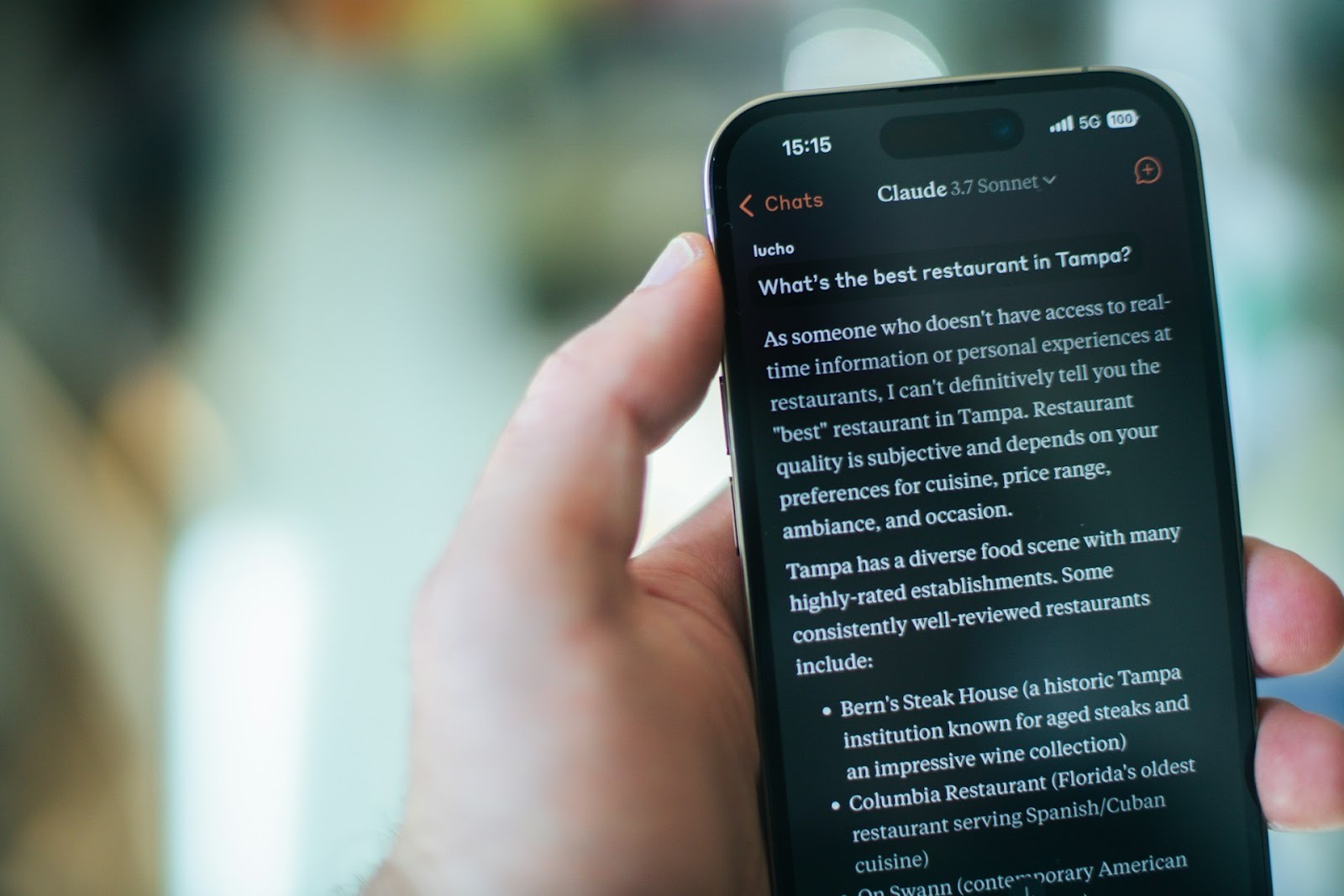
And thirdly, since 2025, Anthropic has integrated a web search based on Brave Search. This means Claude can pull current company data, news, and industry information directly from the internet.
What Sets Claude Apart from ChatGPT and Gemini
Compared to ChatGPT, Claude particularly excels in text quality and handling long documents. Anyone who regularly creates personalized outreach emails or sales scripts will quickly notice the difference, as Claude writes more nuanced and less formulaic.
Compared to Gemini, Claude lacks direct integration into the Google ecosystem, but it offers a significantly larger context window. If you're already using ChatGPT Prompts for Lead Generation or with Gemini you work, a comparison is worthwhile.
The best prompts to generate leads with Claude
Before you start, a quick note on the proven prompt structure. Always give Claude a Role, provide the Context for your business, clearly formulate the Task and define the desired Output Format.
The more precise your prompt, the better the result.
1) Claude Prompts for ICP and Target Audience Analysis
A well-defined Ideal Customer Profile is the foundation for any successful lead generation. Without an ICP, you'll waste time on contacts who will never buy. These prompts help you to systematically build your ICP.
Prompt 1 – Create Ideal Customer Profile
You are an experienced B2B sales strategist. I sell [product/service] to companies in [region/industry]. Create a detailed Ideal Customer Profile with the following points: company size (employees and revenue), industry and sub-industry, typical challenges, buying triggers, decision-making structure, and preferred communication channels. Format the result as a structured overview.
Prompt 2 – Identify Decision-Maker Job Titles
Which job titles in [industry] companies with [number of employees] are typically responsible for purchasing decisions in the [product/service] area? List 10 common positions, sorted by decision-making authority. Distinguish between decision-makers, influencers, and budget holders.
Prompt 3 – Analyze Target Audience Pain Points
Analyze the typical challenges and pain points of [target audience, e.g., sales managers in medium-sized IT companies]. What problems keep them up at night? What goals are they pursuing? And how do I position [my product] as a solution to these specific problems? Create a table with three columns: Pain Point, Business Impact, Solution Approach with My Product.
2) Claude Prompts for Company Research and Lead Lists
This is where Claude's web search comes in. Specifically, you can ask Claude to actively search the internet for companies. However, the results are not as structured as with specialized tools, so you should refine the data.
Prompt 4 – Create Company List by Industry and Region
Search the internet for [industry] companies in [city/region] with [size, e.g., 50-200 employees]. Create a list including company name, website, location, and – if available – a general contact email address. List at least 15 companies and provide the source for each.
Tip: Explicitly instruct Claude to use web search by saying "Search the internet" or "Research current data". Without this instruction, Claude sometimes only relies on its training data.
Prompt 5 – Find Companies by Technology Stack
Research companies in Germany that use [specific technology, e.g., Salesforce, HubSpot, SAP] and are also active in the [industry]. Use publicly available sources such as technology directories, job advertisements, and company websites for this. Create a structured list.
Prompt 6 – Identify Competitor Customers as Leads
My main competitor is [competitor name]. Research which companies are publicly mentioned as customers or partners of this competitor. Search the competitor's website, case studies, press releases, and review platforms. List all found companies with their source.
Prompt 7 – Niche Leads via Industry Directories
I am looking for [niche target audience, e.g., organic food manufacturers with their own online shop in the DACH region]. Which industry directories, associations, and online platforms can I use to find such companies? Research specific directories and – if possible – directly list suitable companies.
Prompt 8 – Find Companies with Current Trigger Events
Research companies in [industry/region] that have experienced one of the following trigger events in the last 3 months: management change, expansion announcement, new funding round, product launch, or job postings in [relevant area]. Use current news sources and job boards.
3) Prompts for Lead Qualification with Claude
Finding leads is only half the battle. The other half is figuring out which ones truly have potential. In our experience, many sales teams fail not because of too few leads, but because of too many bad ones.
Prompt 9 – BANT Qualification of a Lead
You are a Senior Sales Consultant. I have the following lead: [Company Name, Industry, Size, Contact Person, Previous Interaction]. Evaluate this lead using the BANT framework (Budget, Authority, Need, Timeline). Provide a rating of 1-5 for each criterion and formulate three targeted questions I should ask in the next conversation to clarify open points.
Prompt 10 – In-depth Analysis of a Target Company
Create a comprehensive analysis of [Company Name]. Research the internet for: current business situation, recent news and press releases, products and services, competitive landscape, potential challenges, and growth areas. Summarize everything so I can optimally prepare for an initial meeting.
Prompt 11 – Develop Lead Scoring Criteria Develop a lead scoring model for my company. We sell [product/service] to [target audience]. Define 8-10 scoring criteria with point values. Distinguish between demographic criteria (company size, industry, location) and behavioral signals (website visits, content downloads, event attendance). Create the scoring as a table that I can directly import into my CRM.
Prompt 12 – Identify Buying Signals and Trigger Events
What publicly visible signals indicate that a company in [industry] currently has a need for [product/service]? List at least 10 specific buying signals and explain where I can find these signals (e.g., LinkedIn, job boards, press releases, annual reports).
4) Claude Prompts for Outreach and Cold Prospecting
This is where Claude demonstrates one of its greatest strengths: writing texts that don't feel like AI. In practice, this means Claude creates personalized emails that sound as if an experienced salesperson has genuinely researched the company.
Prompt 13 – Personalized Cold Outreach Email
You are an experienced B2B sales expert and copywriter. Write a cold outreach email to [Contact Person, Job Title] at [Company, Industry]. Briefly research the company online and personalize the email based on current information. The email should be a maximum of 120 words, have a specific hook, address the target audience's main problem, and end with a low-commitment call to action. Tone: professional, direct, not pushy.
Prompt 14 – Follow-up After No Response
Write a follow-up to the following email, which received no response 5 days ago: [Insert original email]. The follow-up should be brief (max. 80 words), offer a new perspective, and not sound accusatory. Add a specific benefit or relevant piece of information that was not included in the first email.
Prompt 15 – Personalize LinkedIn Connection Request
Draft a LinkedIn connection request for [Name, Position, Company]. Briefly research the profile and company and include a personal connection. Max 280 characters (LinkedIn limit for requests without Premium). No pitch in the first message, just genuine interest and a point of connection.
Prompt 16 – Conversation Guide for Initial Meetings
Create a conversation guide for a 15-minute initial call with a potential client from the [industry]. The company has [context, e.g., just hired a new sales manager, is expanding into new markets]. The guide should include: an opening question, 5 discovery questions (open-ended), a transition to our offer, and a clear next step. Not a script to be read verbatim, but a flexible framework.
5) Claude Prompts for Sales Scripts and Objection Handling
Prompt 17 – Create a Discovery Call Guide
Create a complete discovery call guide for selling [product/service] to [target audience]. The guide should cover the following phases: Warm-up (2 min), Situation Analysis (5 min), Pain Point Exploration (5 min), Customer Vision/Goals (3 min), Next Steps (2 min). Formulate 2-3 open-ended questions and potential follow-up questions for each phase.
Prompt 18 – Prepare Objection Handling
I sell [product/service] to [target audience]. The most common objections are: "Too expensive," "We already have a solution," "No budget currently," and "I need to discuss this internally." For each objection, create three different response strategies: one fact-based, one emotional, and one with a counter-question. Formulate everything so it sounds natural in a real conversation.
5 Tips for Better Results with Claude
The prompts alone will get you far, but with a few tricks, you can get significantly more out of Claude. These five tips have proven effective in practice.
1. Work in multiple stages with prompt chaining
Instead of putting everything into a single prompt, break down complex tasks into multiple steps. First, have it create the ICP, then research companies based on that, then write personalized emails for the best leads. Each step builds on the previous one, and the results will be significantly better.
2. Use XML tags for structured output
Claude understands XML tags particularly well. If you need your leads as structured data, write something like this in the prompt: "Output the results in the format <lead><firma>Name</firma><website>URL</website><email>Address</email></lead>." This way, you get data that you can process directly.
3. Explicitly request web search
Claude doesn't always use web search automatically. If you need up-to-date company data, write it directly into the prompt: "Search the internet" or "Look for current data on...". Without this instruction, Claude occasionally relies on its training knowledge, which isn't always current.
4. Always provide role and context
A prompt like "Find me leads" yields mediocre results. A prompt with a role ("You are an experienced B2B sales strategist"), context ("I sell cloud ERP to medium-sized manufacturing companies in Southern Germany"), and a clear output format delivers significantly better results. Crucially, the more relevant context you provide, the more specific the output will be.
5. Refine iteratively
Don't accept the first result as final. Tell Claude what worked well and what didn't. "The first 5 leads are good, but I need companies with at least 100 employees. Adjust the list and add 10 more." This iterative approach greatly benefits the outcome.
Where Claude reaches its limits in lead generation
While Claude excels at strategic work, it has clear limitations in operational lead generation. You should know this before relying too heavily on it.
Claude processes requests individually; systematic mass research is not possible. If you need 500 leads in a specific niche, you won't be able to do that in a single prompt. You would have to make dozens of requests and manually merge the results.
Furthermore, data quality is inconsistent. Claude can hallucinate, meaning it might name companies that don't exist or provide outdated contact information. You should spot-check every piece of information, especially email addresses and phone numbers.
There are also shortcomings regarding GDPR. If you contact leads, you must be able to prove where the data came from. Claude does provide sources, but no systematic documentation that you could present during an audit.
If you build lead lists across multiple prompts, Claude also doesn't automatically recognize which companies you already have. You have to reconcile that yourself. And unlike specialized tools, Claude doesn't learn from your feedback, because if you say "This lead isn't suitable," Claude won't remember that for the next session.
Claude vs. LeadScraper.de: A Comparison
Anyone who knows these limitations will eventually ask themselves if there isn't a tool that picks up exactly where Claude leaves off. LeadScraper.de is built precisely for that and takes a fundamentally different approach. The following table shows how the two differ.
| Criterion | Claude | LeadScraper.de |
|---|---|---|
| Data Source | Web search (Brave) + training data | Targeted crawling of public business data |
| Data Quality | Variable, hallucinations possible | Verified, structured datasets |
| GDPR Compliance | Not systematically documented | Documented, public sources only |
| Scalability | Individual queries, merged manually | Hundreds of AI agents search in parallel |
| Contact Person Data | Often incomplete or outdated | Current contact persons with contact details |
| Learning Effect | No automatic feedback system | Self-learning AI via thumbs up/down rating |
Similar to Claude, with LeadScraper.de you also describe who you're looking for in free text fields.
The key difference is in the execution: While Claude is a single conversation where you work step-by-step, LeadScraper.de dispatches hundreds of specialized AI agents simultaneously to specifically search the internet for suitable business contacts.
The result is structured lead lists including company name, website, email, phone number, and the right contact person.
Effectively Combining Claude and LeadScraper
The best strategy isn't one or the other, but a combination of both. In practice, a workflow that combines both has proven effective.
- Define ICP with Claude. Use Prompts 1-3 to meticulously build your Ideal Customer Profile and precisely describe your target audience.
- Generate Lead Lists with LeadScraper. Transfer the ICP description to LeadScraper.de and let the AI agents find suitable companies. Rate the results with thumbs up/down so the AI can learn.
- Qualify Leads with Claude. Take the best leads from LeadScraper and have Claude perform an in-depth analysis (Prompt 10). This way, you'll be perfectly prepared for the initial meeting.
- Personalize Outreach with Claude. Write personalized cover letters using Prompts 13-15, based on the research from Step 3.
This is how you leverage the strengths of both tools. Claude handles strategy, analysis, and text generation, while LeadScraper provides operational lead generation at scale.
Conclusion
Claude is a powerful tool for the strategic side of B2B lead generation. Its combination of a large context window, web search, and excellent text quality makes it ideal for ICP development, lead qualification, and outreach personalization. The 18 prompts in this article provide you with an immediate toolkit to make your sales efforts significantly more efficient.
However, for operational lead generation – that is, systematically finding and preparing hundreds or thousands of company contacts – Claude reaches its limits. This is where specialized tools come into play. Those who use Claude for strategy and LeadScraper.de for implementation will have a workflow that is both intelligent and powerful.
FAQ: Lead Generation with Claude
Can Claude really search the internet for leads?
Yes. Since 2025, Claude has had an integrated web search based on Brave Search. You can actively prompt Claude to search the internet for companies, news, or industry data. However, Claude doesn't always trigger the web search automatically. It's best to write "Search the internet" directly in your prompt.
Is Claude GDPR-compliant for lead generation?
That depends on what you do with the results. Claude itself provides source references but doesn't offer systematic GDPR documentation. If you contact leads based on Claude's research, the responsibility lies with you to properly document the data origin. Specialized tools like LeadScraper.de solve this problem because they exclusively use publicly accessible sources and make the origin of each contact transparent.
Which Claude model is best suited for sales?
For most sales tasks, Claude Sonnet is perfectly sufficient and available in the free version. Opus offers slightly better results for complex analyses and long documents but is only included in the Pro plan for $20 per month. Haiku is too lightweight for demanding sales tasks.
Can Claude replace human sales work?
No, and that's not the goal either. Claude is a tool that accelerates routine tasks such as research, text creation, and data analysis. The actual sales work – building relationships, conducting negotiations, and closing deals – remains human work. In our experience, the most successful sales teams don't work with AI instead of people, but with AI and people together.
What does Claude cost for B2B lead generation?
Claude is free to use in its basic version, with a daily message limit. The Pro plan costs $20 per month and offers significantly more capacity as well as access to Opus. For teams, there's the Team plan for $30 per user. Compared to dedicated lead generation tools , Claude is more affordable, but it also offers fewer specialized features.
%2520(7).jpeg)